
- Callback mode. First, a call is made to the agent, a message is played and then a call is made to the client. This mode is used for working with VIP clients and processing hot leads.
- Progressive mode. The slowest of the modes. It works only for agents in Ready status, occupying one line per free agent. This mode does not create "dropped" calls. Mainly used for working with warm clients.
- Power dial. A method of reducing connection wait time, whereby for each agent in Ready and PCP status, the dialer occupies a specified number of lines with calls. This mode is chosen by micro-lending services and owners of "bad or generated" databases.
- Predictive mode. A mode of dynamic adjustment of the number of lines to keep agents continuously busy while keeping the proportion of "dropped" calls at a predetermined level. Effective from 15 agents on one dialer. Agent efficiency increases 2-3 times.
- Limitless mode. A mode of using lines without restrictions. Usually used for calls with IVR, notifying customers about a promotion or service
Dialer Service
Dialer - a professional tool for working with a large customer base!

Need a dialer with transfer to an agent?
- Simultaneous dialing for several projects by one group of agents.
- Manual or automatic confirmation of the dial to the required contact or decision-maker.
- Control of agent presence through CRM fulfillment.
- A library of ready-made call processing scripts.
- Entering data directly into CRM.
- Identifying the subscriber's time zone (automatic or manual).

Need a robot dialer?
- Speech synthesis using the technologies of search engines Google and OpenAI.
- Playing messages, recorded by a narrator or synthesized by a robot.
- Designing conversation scripts for the robot and tracking responses.
- Receiving data from an external system (1C or CRM)
- Statistics on the pressing of certain keys, the percentage of the message listened to, etc.
- Identifying the subscriber's time zone (automatic or manual detection by the number's prefix).
Our dialer capabilities
Dialer modes
Flexible dialer settings
- Managing the number of dialing attempts. Specify for the dialer how many dialing attempts it should make for each number. This can be a certain number or until the call is successful.
- Managing the dialing attempt interval. Determine how frequently the dialer should attempt redials: every hour, every few hours, every day.
- The ability to expand the database in real-time. Add new numbers to the dialer database at any moment without stopping its operation.
Setting dialing priorities
- By the time of task creation: first new or first old.
- By the scheduled call time: the most overdue or timely first.
- By task priority: urgent, regular, low.
- By the number of attempts: maximum or minimum.
Call status management
- Automatic survey on service quality.
- Questionnaire evaluating the agent's work quality.
- Indicators of service levels of agents and queues.
- Monitoring presence at the workplace.
- Accounting for agents' occupancy.
- Standards for agents' work.
- Pricing of agents' work.
- Agents' statuses.
- Call interception and monitoring.
Dialer management through API
- Integration with ZohoCRM, FreshCRM, Salesforces, Pipedrive, Zendesk.
- Transferring from external CRMs parameters of orders and subscriber data.
- Uploading call data and recording to CRM.
CRM and analytics
- Record voice messages yourself or with the help of OpenAI Whisper TTS robots.
- Connect your incoming calls and set up voice greetings for them.
- Notify customers about order status and delivery during outbound calls.
- Program IVR dialogues with subscribers, which may result in connection to a specific department or agent.
- Allow the subscriber to respond to IVR questions using tone dialing or voice.
Saving on communication
Connect your own IP telephony for call reception and processing. Store all inquiry information in one system!
- connection of any number of communication providers;
- routing of outbound calls by rates and prefixes of operators;
- control of allowed directions;
- setting a limit on communication expenses;
- automatic monitoring of communication quality;
- automatic SMS and email notification upon reaching expense limits or communication quality deterioration;
- reports on cost, number, and duration of calls.
DIDN'T FIND THE FUNCTION YOU NEED?
Submit an application and get more information about our service!
Ошибка: Контактная форма не найдена.
Rates
- В день
- Абонентская плата € 1,5
- хранение записей разговоров до 1440 часов, учет занятости операторов и управления проектами, 25 отчетов по звонкам, функционал АТС, анкета для оценки качества операторов, почтовые отчеты, речевая аналитика, гостевые аккаунты, микширование отчетов, сценарии разговоров, KPI и дисциплинарный контроль - 10 рапортов в день.
- Дополнительный платеж
- Рабочее место оператора € 1,5
- За 1 оператора в день
- Единоразовый платеж
- Подключение и настройки сервиса € 99
- Единовременная плата за подключение и настройку услуги
Дополнительная тарификация на количество попыток Автообзвона
- в день
- от 0 до 500 шт. входит в абонплату входит в абонплату
- в день
- от 500 до 30 000 шт. € 6
- в день
- от 30 000 до 60 000 шт. € 10
- за каждые 10 000 попыток
- от 60 000 шт. € 1,5
Используйте дополнительные инструменты по необходимости

Весь функционал, который может понадобиться колл-центру у вас в браузере!
- Мультиканальная обработка обращений,
- Продвинутая CRM и аналитика,
- Управление телефонией,
- Управление и контроль операторов.
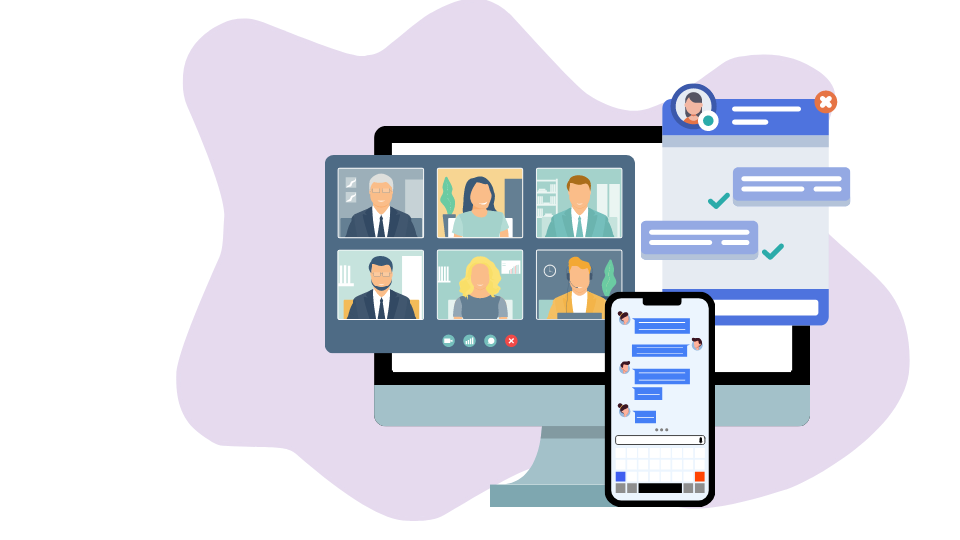
Омниканальная платформа объединяет звонки, веб-чаты, электронную почту, социальные сети, мессенджеры и мобильные приложения. В такой объединенной среде очень удобно работать людям, а объединенные данные создают условия для работы ботов — надёжных и функциональных помощников.

- 5 режимов дозвона: Preview/Callback, Predictive, Progressive, Ultra, Power,
- гибкие настройки числа и интервала попыток,
- возможность использования в связке в автоинформатором,
- корректировка звонков по часовому поясу клиентов,
- интеграция с внешними CRM,
- автоматическая обработка утраченных звонков.

Оценка разговоров, стенограммы и речевая аналитика - три инструмента Оки-Токи, которые позволят контролировать качество звонков в вашем колл-центре!
- автоматический выбор аудиозаписи для проверки,
- искажение голоса для устранения субъективности,
- статистика оценок операторов и работы отдела контроля качества,
- режим караоке (сопоставление текста аудиозаписи и подсветка текста в процессе прослушивания),
- отслеживание перебиваний, пауз, использование обсценных (матерных) слов в разговоре с клиентом,
- отслеживание соответствия анкеты стенограмме разговора.
Отраслевые решения
У нас есть готовый набор инструментов для организации контакт-центра в каждой нише!
Отзывы об Оки-Токи с других сервисов
Oki-Toki - a call center service for automatic dialing
The dialer system helps reduce waiting time for a response, removes routine tasks from employees, and assists in processing missed calls. Use the service online: cloud technology allows employees to work from anywhere with internet access, and managers to monitor efficiency. If you want to buy a dialer service, consider the cloud software Oki-Toki.
Main advantages of the Oki-Toki service:
1. The ability to set up the dialer service 24/7; 2. 14 days of free dialer service use online, to ensure its effectiveness and the flexibility of settings; 3. Data exchange with external CRMs; 4. Connection of your own IP telephony; 5. The ability to automatically connect to an agent when the customer responds; 6. Setting the number and interval of attempts; 7. Adjust dialing depending on the customer's time zone; 8. Auto processing of lost calls; 9. The “auto-informer” mode; 10. The ability to use several operating modes simultaneously. Clients can choose the Oki-Toki tools they really need and pay only for what they actually use. Thus, the dialer service will not increase, but rather reduce your contact center's costs. Below are possible types of automatic phone dialing.Types of Oki-Toki automatic dialing
1. Automatic dialing to the number with transfer to an agent
Oki-Toki service enables automatic dialing for several projects. The online dialer service works as follows: after the customer responds, the system automatically transfers the call to an agent. The dial can be confirmed manually or automatically by the agent. To ensure the service, product offer, or service is as effective as possible, with automatic dialing to the number, an agent has access to a stored script in the library. During a conversation with a customer or buyer, a call center employee can promptly enter data into the client's card saved in CRM.2. Automatic robot dialing
The dialer robot is used to optimize the staff of agents, free them from the task of routine dialing, and increase the efficiency of the main line. Typical tasks solved using automatic dialing with a voice message:- Notification of a promotion;
- Notice of a visit (e.g., to a webinar or doctor);
- Automatic survey about service quality;
- Offering services;
- Updating the database of numbers;
- Use in the financial sector to remind of the amount of debt or repayment terms.
Other advantages of Oki-Toki outbound dialing system
The dialer service for outbound calls allows setting the number of dialing attempts and intervals. An employee, whose duties include database updating, can add new numbers to it at any time or remove problematic ones: import history is preserved, uniqueness is monitored, and service fields can be added. Automatic dialing is performed to priority numbers. Defining priority numbers for dialing implies sorting and flexible setting of the dialer service parameters such as:- Task creation time;
- Scheduled call time;
- Region;
- Number of attempts.
Iulia Raiscaia
Богдан Кошевой
Любовь
Гость